Write in seconds. Without typing.
Turn your voice into clear, structured text in any app. Speak naturally and let AI handle the formatting, corrections, and flow.
Book a demo

Used by leading companies to save time





SOLUTION
A faster way to write without the busywork
Dictate directly where you work while AI takes care of structure, punctuation, and clarity.
No switching tools and no breaking focus.
Punctuation
Removed
Fixed Spelling
Hey John,
Uh here I attach some or the documents you were asking me the other day about the content strategy that we’re working right now.
Hope it helps!
Writing feels like work
AI handles structure, punctuation, and clarity while you simply speak.

Context switching kills focus
Dictate directly inside any app without breaking concentration or changing tools.




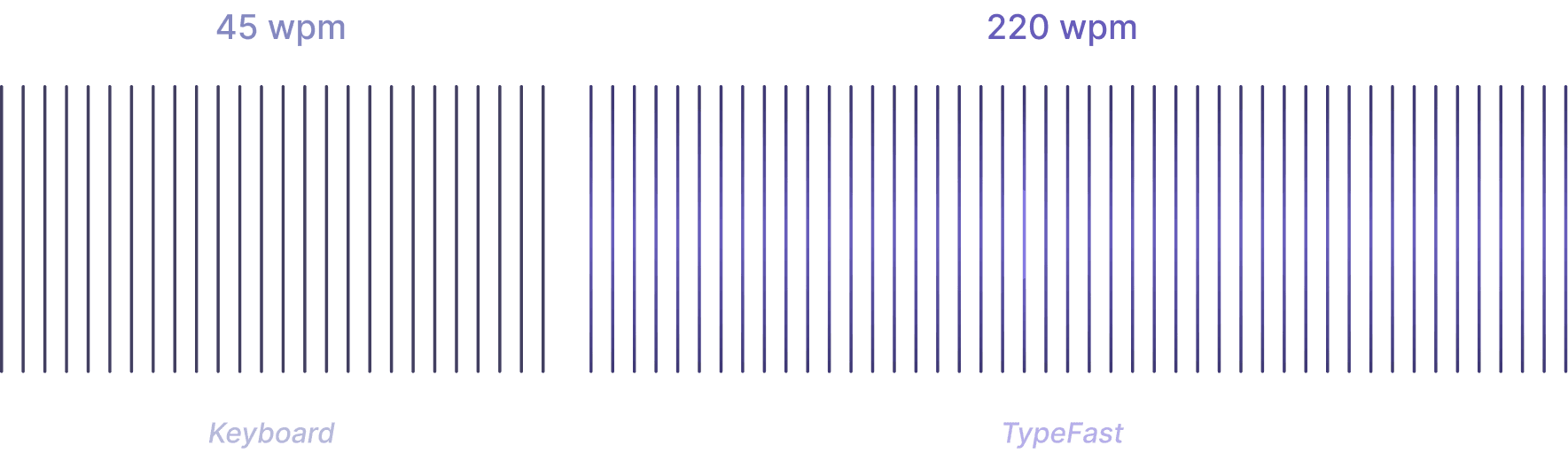
Typing slows you down
Turn your voice into structured text instantly so ideas flow at the same speed you think.
Most people type at around 40–50 words per minute, while speaking naturally reaches 200+ words per minute, which is why using your voice requires less effort and creates more flow.
Try for free
Speak in one language. Write in another.
Talk naturally in your language and get clear, structured text translated and written in a different one instantly, without switching tools or interrupting your flow.

Calendar
It’d be great if we could schedule a call to go over this in more detail.
Does that work for you?
Support intro
Response times
Contact details
voince commands
Say one word.
Write a full message.
Use a simple voice command to instantly insert pre-saved text, from short phrases to full messages, without typing or repeating yourself.
Writing that adapts to context
Dictate naturally and let your text adjust its tone based on the platform, so it always fits the conversation you’re in.

INTEGRATION
Works wherever you write
Use it across all the tools you already work in.
From docs and email to chats and project tools, your voice fits seamlessly into your existing workflow.


TESTIMONIALS
Trusted by people who write every day


FAQs
What are voice commands and how they work?
Voice commands let you say a single trigger word to insert a pre-saved text block like a full email signature, a support template, or a greeting. You set them up once and recall them instantly by speaking.
Is Dictly always listening to my microphone?
No. Dictly only activates when you press the dictation shortcut. The microphone is off by default and you stay in full control of when it turns on.
Is my audio stored or shared?
Audio is processed in real time and never stored on our servers. We do not share, sell, or use your voice data for any purpose other than transcription in the moment.
Can I cancel at any time?
Absolutely. There are no contracts or cancellation fees. You can cancel your subscription at any time from your account settings and you'll keep access until the end of your billing period.
Can I Use Dictly across multiple devices?
Absolutely. There are no contracts or cancellation fees. You can cancel your subscription at any time from your account settings and you'll keep access until the end of your billing period.
Start writing with your voice
Turn your thoughts into clear, structured text in seconds and see how effortless writing can feel.
Try for free